On this page
If you run a small retail store, you already know the problem. Foot traffic is unpredictable. Some Saturdays your shop is busy; other days you're checking your phone every ten minutes hoping someone walks in. Meanwhile, your online competitors seem to be everywhere — Instagram, TikTok, Facebook — looking polished and professional while you're still trying to figure out what to post.
Here's what the data says: 1 in 3 customers now discovers small businesses through social media, and 83% of Instagram users say they find new products on the platform. Social commerce is projected to surpass $102 billion in the US alone in 2026. Yet most small retail owners we talk to are either not posting consistently, or they're spending their evenings making content instead of running their business.
This guide is for shop owners — boutiques, hardware stores, bookshops, gift stores, specialty food shops — who want to use social media to get more people through the door without turning it into a second full-time job. We'll cover what actually works for retail, how AI tools are changing the game, and a practical weekly workflow you can start this week.
Why Social Media Matters More for Physical Retail Than You Think
There's a common misconception that social media is for online stores, influencers, and big brands with marketing departments. For a small shop with a physical location, what's the point?
Quite a lot, actually. According to Shopify's 2025 Merchant Survey, small merchants earning under $100,000 found organic social media to be their most effective growth strategy — beating paid advertising, email marketing, and product expansion. For physical retail specifically, social media serves three critical functions:
Discovery. People no longer "stumble into" stores the way they used to. They browse Instagram first, check Google Maps, look at what their friends posted. If your shop isn't visible on social platforms, you're invisible to a growing segment of potential customers. Research from SellersCommerce shows that over 60% of product discovery now happens on TikTok, Instagram, and YouTube combined.
Trust-building. Before someone drives to your store, they want to know what you carry, what your shop looks like inside, and whether other people like it. Social media posts act as a 24/7 digital storefront. A study by Sprout Social found that consumers are 67% more likely to visit a physical store after engaging with the brand on social media.
Community. Local businesses thrive on regulars. Social media is how you turn a one-time visitor into someone who comes back every month. It's where you announce new arrivals, seasonal sales, and in-store events — the stuff that used to go on a flyer in the window.
The Retail Social Media Playbook: What Actually Works
Show Your Products in Context
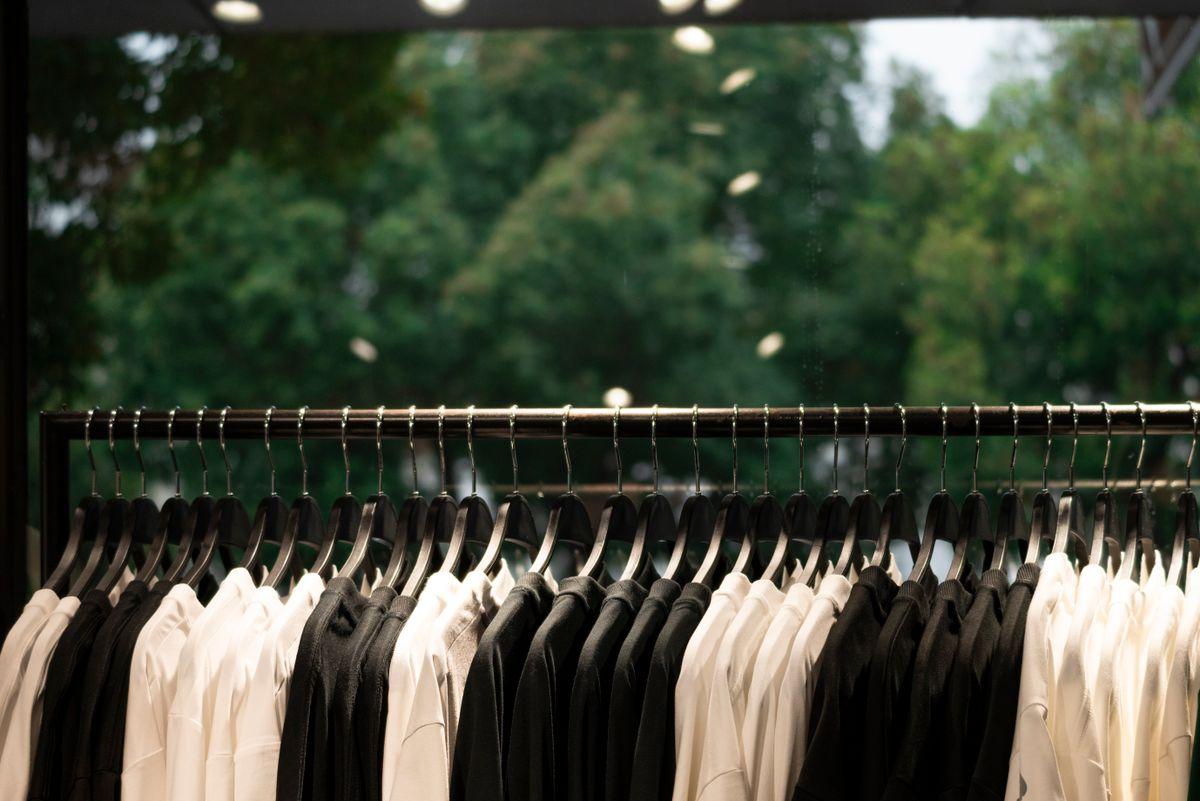
Product photos on a white background work for an online catalog. They don't work for social media. What performs for retail shops is showing products in their natural habitat — styled on a mannequin, arranged on a display table, being unboxed, or worn by a real person in the store.
A clothing boutique in Ljubljana we worked with started posting 15-second Reels of new arrivals being hung on the rack every Friday morning. Simple, shot on a phone, no editing. Those posts consistently got 3x more reach than their polished product photos. Why? Because people want to see what's new, and a video of clothing on a rack communicates "just arrived" more effectively than any caption could.

Post New Arrivals Consistently
This is the single highest-ROI content type for retail stores. Your followers want to know what's new. Post new arrivals weekly — even better, the same day each week so people learn to expect it. According to data from Retail Insider, retailers who posted new-arrival content at least weekly saw 40% higher engagement rates than those who posted irregularly.
Use Location Tags and Local Hashtags
This one is simple but underused. Every Instagram post and Story should tag your store's location. Use local hashtags (your city name, your neighborhood, local shopping districts). When tourists or new residents search for "shops near me" on Instagram, location-tagged posts are what they find.
Behind-the-Counter Content
People love seeing how the sausage is made — literally, if you run a specialty food shop. Unboxing deliveries, setting up window displays, restocking shelves, meeting with suppliers — this content is free to produce and performs well because it feels authentic. According to the 2026 Social Media Marketing Industry Report, behind-the-scenes content generates 2.5x more comments than promotional posts.
Customer Spotlights
When someone buys something interesting, ask if you can feature them (with a tag). User-generated content — customers posting photos of their purchases and tagging your store — is even better. It functions as social proof and reaches the customer's network. According to Bazaarvoice's 2026 report, user-generated content drives a 29% higher conversion rate than brand-created content.
Where AI Comes In: Working Smarter, Not Harder
All of the above sounds great in theory. In practice, most retail owners we talk to hit the same wall: they don't have time. You're ordering inventory, managing staff, helping customers, doing bookkeeping — and now you need to be a content creator too?
This is where AI-powered social media tools have fundamentally changed the equation for small retail businesses. Here's what they can do:
Content Generation That Sounds Like You
Modern AI tools don't just spit out generic captions. The best ones learn your brand voice — your tone, your product categories, your typical promotions — and generate posts that actually sound like your store wrote them. You describe a new arrival ("spring linen collection just landed, 20% off through Sunday") and the AI generates a week's worth of posts: an announcement post, a styling tip, a customer question prompt, a Story poll, and a reminder post. All in seconds.
For a retail owner, this means you can create a full week of social media content in 15 minutes instead of 3 hours.
Smart Scheduling for Local Audiences
Posting at the right time matters. AI tools analyze when your specific audience is online and engaged — not generic "best time to post" averages, but your followers' actual behavior patterns. For retail stores, this often means posting mid-morning (when people take coffee breaks and browse their phones) and early evenings (when commuters are scrolling).
The difference is measurable. Posts published during AI-identified peak windows typically see 30-45% higher engagement than posts published at random times, according to our internal data at Picmim.
Automatic Cross-Platform Adaptation
A Reel that works on Instagram needs different formatting for TikTok. A product photo for Facebook needs different copy than the same product on Instagram. AI tools can automatically adapt your content for each platform — resizing images, adjusting captions, selecting appropriate hashtags — so you create once and publish everywhere.
Trend Spotting for Retail
Some AI tools now monitor trending topics, sounds, and formats relevant to your industry. When a particular audio track or content format starts trending in retail, the tool can suggest you jump on it — before it peaks. This is particularly valuable for small stores that can't spend hours scrolling TikTok looking for trends.
Review and Comment Responses
Responding to customer messages and reviews is crucial for local businesses — it builds trust and signals to platform algorithms that your account is active. AI tools can draft responses to common questions ("What are your hours?", "Do you have this in size M?", "Is this in stock?") in seconds, letting you review and approve them with a tap.
A Realistic Weekly Workflow for Retail Owners
Here's what a sustainable social media routine looks like for a small retail shop using AI tools:
Monday (15 minutes): Use your AI tool to generate a week's worth of posts. Input new arrivals, promotions, or seasonal highlights. Review, tweak, and schedule them.
Wednesday (5 minutes): Check comments and messages. Use AI-drafted responses for common questions. Add a quick Story showing something happening in the store right now — a delivery, a display change, a customer browsing.
Friday (5 minutes): Post a "new arrivals" Reel or photo set. This is your highest-performing content slot — people are thinking about weekend shopping. Tag your location.
Saturday (2 minutes): Repost a customer Story or tag. This takes seconds and costs nothing.
Total weekly time: under 30 minutes. Compare that to the 5-8 hours most retail owners spend when they try to do social media manually — or the €800-€1,500/month they'd pay an agency to do it for them.
The Cost Question: AI vs Agency vs DIY
Let's be specific about what this costs:
| Approach | Monthly Cost | Time Investment | Consistency |
|---|---|---|---|
| DIY (manual) | €0 | 5-8 hours/week | Unpredictable |
| Freelance social media manager | €400-€800 | 1-2 hours/week | Moderate |
| Marketing agency | €800-€2,500 | 0.5 hours/week | High |
| AI-powered tool (like Picmim) | €29-€99 | 0.5 hours/week | High |
The trade-offs are clear. DIY is free but unsustainable for most shop owners — they simply don't have the time, and posting becomes inconsistent. Agencies deliver results but are expensive for small operations. AI tools sit in the sweet spot: they produce consistent, quality output at a fraction of the cost, while letting you maintain control over your brand voice.
Common Mistakes Retail Stores Make on Social Media
Posting only when there's a sale. If your social media presence is just "20% off this weekend!" every two weeks, people will tune you out. Mix promotional content with product showcases, behind-the-scenes content, and community posts. The ideal ratio is roughly 30% promotional, 50% product/educational, and 20% behind-the-scenes/community.
Ignoring Stories. Instagram and Facebook Stories have higher daily usage than feed posts for most retail accounts. They're perfect for quick updates — "just got these in today!" or "closing early at 4 today" — that don't warrant a full feed post.
Using stock photos. Customers can tell. Stock photos of generic "happy shoppers" destroy the authenticity that makes local retail appealing. Even a poorly lit photo of your actual store is better than a polished stock image.
Inconsistent posting. Posting five times in one week and then going silent for three weeks is worse than posting twice a week consistently. Platform algorithms reward consistency over volume. Set a pace you can actually maintain — even if that's just three posts per week.
Getting Started: Your First 30 Days
If you're starting from near-zero (or rebooting a neglected account), here's a simple plan:
Week 1: Set up your profile. Make sure your bio includes what you sell, your location, and your hours. Post three "getting to know us" pieces — one about your store, one about your best-selling product, one about why you started the business.
Week 2: Start a consistent posting rhythm. Aim for three posts and five Stories per week. Use an AI tool to generate captions and schedule posts in advance.
Week 3: Focus on new arrivals. Post what's just come in, with prices and styling suggestions. Tag your location on every post. Start using 2-3 local hashtags consistently.
Week 4: Engage with your community. Respond to every comment. Repost customer content. Check your analytics to see which posts performed best, and do more of that.
By the end of 30 days, you'll have data on what resonates with your audience, a consistent posting habit, and — most importantly — a social media presence that actively drives people to your physical location.
Conclusion
Social media is no longer optional for retail stores. It's how customers find you, decide to visit, and become regulars. The good news is that AI tools have made it dramatically easier and cheaper to maintain a strong presence — without sacrificing the authenticity that makes your shop worth visiting in the first place.
If you're spending more than an hour a week on social media, or if you've been putting it off entirely because it feels overwhelming, it might be time to let AI do the heavy lifting. Try Picmim free — it takes 10 minutes to set up, and you'll have a week of content ready by the end of your lunch break.
Your shop is worth visiting. Make sure people online know it too.
Sources: Shopify 2025 Merchant Survey, SellersCommerce Social Commerce Statistics 2026, Sprout Social, Bazaarvoice 2026 Report, RetailInsider 2026, eMarketer, Picmim internal data.